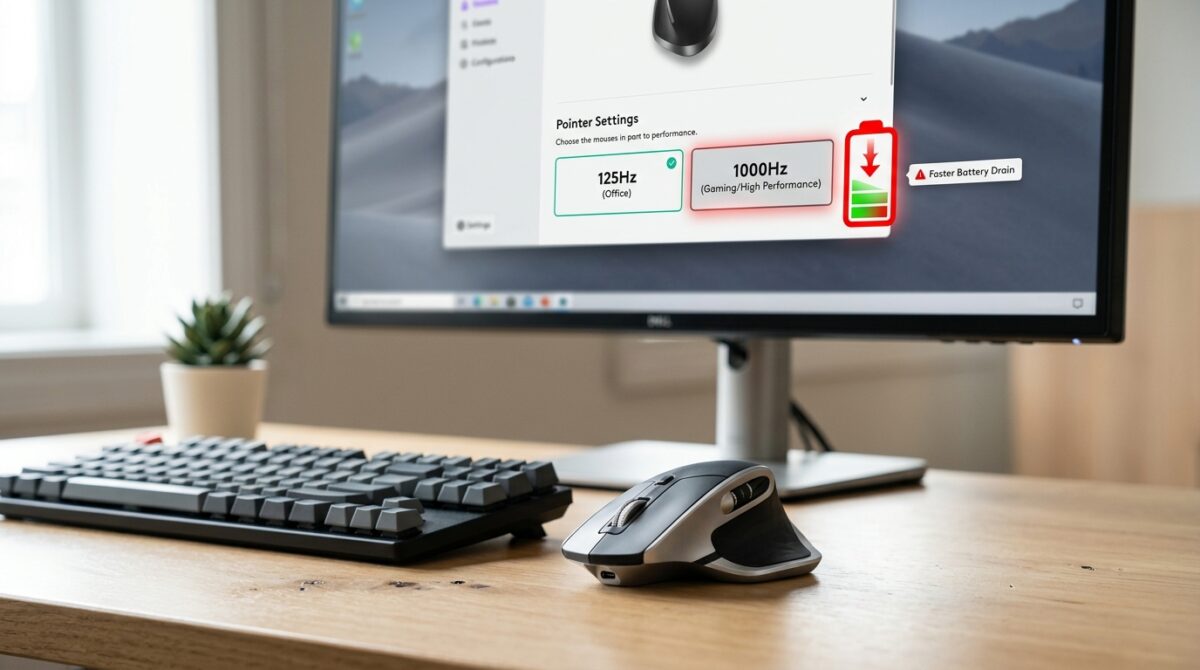
Wireless Mouse Polling Rates: Does 1000Hz Drain Battery Noticeably Faster Than 125Hz for Non-Gamers?
Advanced sensors, configurable buttons, adjustable DPI settings, and high polling rates are some of the features that were formerly reserved for competitive gaming peripherals. Wireless mice have grown to the point that they are now much more than simply pointing devices. The polling rate, which is measured in Hertz (Hz), is a parameter that is commonly used in marketing brochures. The polling rate is what decides how often the mouse sends data to the computer and communicates its location to the computer. The majority of contemporary wireless mice are capable of supporting polling rates that range from 125Hz to 1000Hz, and in some cases even higher numbers. While higher polling rates can improve responsiveness, they also require the mouse to communicate with the computer more frequently. This raises an important question for users who use the mouse on a regular basis: does operating a mouse at 1000Hz while performing normal productivity tasks result in a noticeable reduction in battery life when compared to 125Hz? After gaining an understanding of the connection between polling rates, responsiveness, and power consumption, users are better able to make educated judgments about the performance and efficiency of their batteries.
Uncovering the Meaning Behind the Term “Polling Rate”
The term “polling rate” refers to the number of times per second through which a mouse transmits information on its position and buttons to the computer. When compared to a mouse that operates at 1000Hz, which transmits updates 1000 times per second, a mouse that operates at 125Hz delivers data 125 times every second. In proportion to the polling rate, the frequency with which the computer gets movement information increases and increases. It is possible that this will lessen the latency of the input and make the movements of the cursor look smoother, particularly when the cursor is moving quickly. When seen from a technical standpoint, the difference may seem to be enormous; nevertheless, the actual effect is greatly dependent on the manner in which the mouse is functioning.
What Role Do Higher Polling Rates Play in Improving Response Rates?
The reduction in latency is the key advantage that comes with a greater polling rate. Approximately every eight milliseconds, the mouse will update while it is operating at 125Hz. At a frequency of 1000Hz, updates take place about once per millisecond. This decrease has the potential to make input seem more instantaneous, which is especially beneficial in fast-paced gaming contexts where response speeds are critically important. Due to the fact that more frequent position updates allow for more fast cursor movements and precision targeting, competitive players often choose higher polling rates. The benefits, on the other hand, become less visible while doing typical computer chores such as visiting websites, maintaining spreadsheets, or composing papers.
What Causes Higher Polling Rates to Consume More Power
Active participation from the mouse sensor, the CPU, and the wireless transmitter is required for each and every communication that takes place between a wireless mouse and the computer. As a result of increasing the polling rate, these components will need to function more effectively. When the mouse is operating at 1000Hz, it processes and sends data eight times more often than when it is operating at 125Hz. Adding this extra activity results in an increase in power usage. Despite the fact that the electronics of a contemporary mouse are very efficient, the amount of energy that is required to operate the device continues to increase since it spends less time in low-power states between transmissions.
The Actual Effects of the Battery Impact on Regular Users
The difference in battery life between 125Hz and 1000Hz is often less significant than many people anticipate, especially when it comes to non-gamers. The most recent wireless mice make use of sensors that are efficient, software that has been tuned, and complex power management systems that are meant to strike a balance between performance and battery endurance. It is true that a greater polling rate may shorten the life of the battery; however, the real effect will vary based on the size of the battery, the design of the sensor, the user’s behaviors, and the wireless technology. Users could see shorter battery times in many instances, although this is not always a significant decrease that would have an impact on their day-to-day use.
Activities of the Sensors and Patterns of Movement
There is a correlation between the polling rate and the amount of active movement of the mouse, which in turn influences the amount of battery usage. Because power-saving features limit activity when movement is not detected, a mouse that is lying idle on a desk uses very little power regardless of the polling level that it is set at. During periods of active usage, the sensor exerts more effort in order to monitor motion and send forth feedback. Users who spend the most of their day doing routine office duties may create very little movement in comparison to gamers who are continuously changing directions at a high pace. This indicates that the discrepancy between the theoretical and actual batteries may be less significant than what the theoretical calculations predict.
Efficiency Enhancements Made Possible via Wireless Technology
During the last several years, there has been a considerable advancement in the technology of wireless mice. For the purpose of reducing power consumption while ensuring dependable performance, manufacturers have devised wireless protocols that are very efficient. By using advanced power management, the mouse is able to automatically modify its internal activity in accordance with the patterns of its use. Even when there is a greater polling rate specified, some devices have the ability to automatically lower the amount of energy they use during times of low activity. When compared to earlier generations of wireless mice, the battery penalty that is associated with operating at 1000Hz is often less severe than it was in those earlier generations.
When a frequency of 1000 Hz has very little practical benefit
A polling rate of 1000Hz is not required for the majority of productivity apps since it does not need the responsiveness that it provides. Tasks that entail motions, such as managing emails, accessing the web, editing documents, doing accounting, and basic office work, are not typically the kinds of activities that would benefit much from a one-millisecond update interval. It is common for these people to experience the cursor as being similarly responsive even when polling rates are lower. When compared to gaming circumstances, the productivity gains of high-refresh-rate displays are typically considered to be rather minor. However, some individuals may experience a bit smoother animation on these displays.
Those circumstances in which higher polling rates make perfect sense
There are situations in which people who do not play video games could nonetheless value greater polling rates. The smoother tracking experience may be more appealing to creative workers who deal with precise cursor movements, such as graphic designers, video editors, and other creative professions. Customers who use displays with a high refresh rate may also see an improvement in cursor fluidity. This is because more frequent updates are more closely aligned with display refresh cycles. On the other hand, even under these circumstances, the distinction is often a matter of personal taste rather than a matter of necessity. Even if they are not running at the highest possible polling rate, many users are nevertheless able to obtain outstanding results.
Keeping the Performance and Battery Life in Balance
Users of many wireless mice have the ability to change the polling rate via the management of software settings. Because of this flexibility, it is possible to choose a balance between the responsiveness of the device and the efficiency of its battery. those who place a greater priority on maximizing their battery life have the option of selecting lower polling rates, while those who place a higher priority on a smoother cursor response may pick higher settings. Reducing the polling rate may be an efficient technique to increase the life of the battery without considerably compromising the usability of the device. This is on account of the fact that the performance needs of productivity activities are often not very high.
How to Determine the Appropriate Polling Rate for Everyday Use
The majority of people who do not play video games do use more battery power when polling at a rate of 1000Hz as opposed to 125Hz; however, the difference is often less significant than one would anticipate owing to advancements in wireless efficiency and power management. The higher option offers smoother updates and reduced latency, but games and other activities that need a high level of speed are where these benefits are most visible. Those that utilize productivity tools on a daily basis could discover that there is not much of a change in their typical processes, despite the fact that the battery life is slightly shorter. Personal tastes, the capabilities of the device, and the importance of battery life all play a role in determining the best option. It is likely that users who are looking for the longest possible battery lifetime would choose lower polling rates. On the other hand, users who place a high value on maximum responsiveness may utilize 1000Hz without any discomfort, knowing that the battery effect is typically simple to handle with contemporary wireless mouse technology.