Windows Audio Enhancements vs Raw Output: Which Provides Better Positional Audio for Gaming
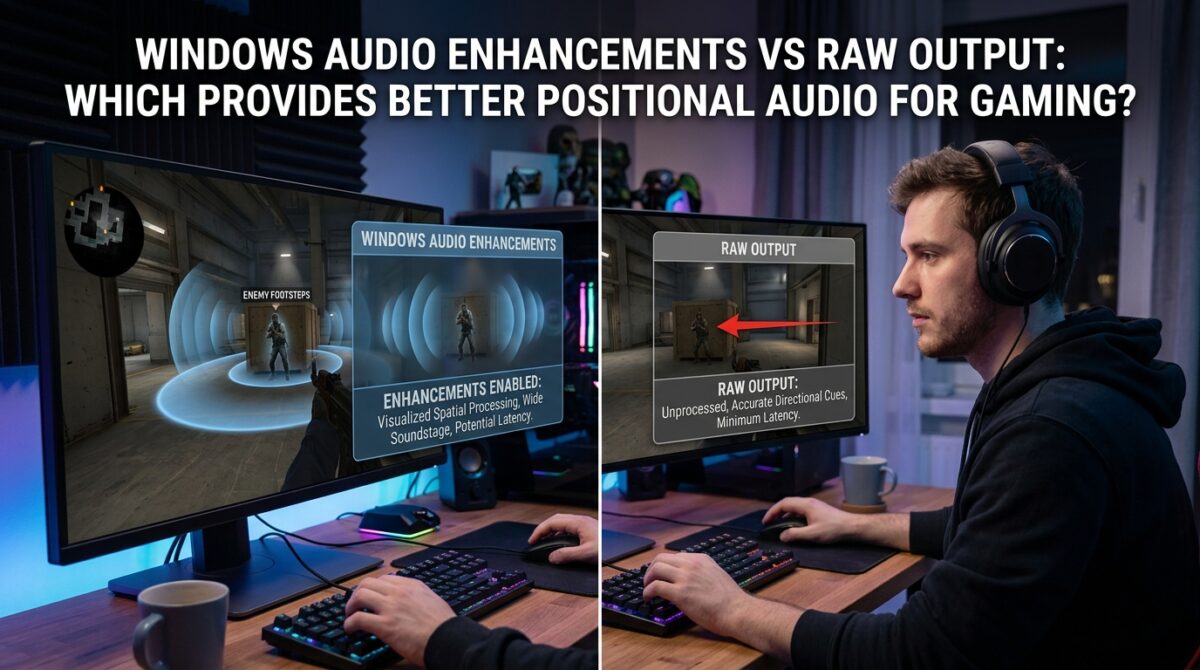
When it comes to gaming, the importance of audio quality and spatial awareness may be up there with the importance of frame rates and graphical fidelity. Players have the ability to identify adversary movements, ambient clues, and in-game interactions with pinpoint accuracy when they have access to accurate positional audio. A number of built-in audio upgrades are available in Windows. These enhancements include virtual surround, equalizer settings, and loudness equalization. The purpose of these additions is to improve sound clarity and immersion. Raw output, on the other hand, is the process of delivering unmodified audio from the game to the headphones or speakers as a result of eliminating all system-level processing. For the purpose of maximizing positional accuracy, it is vital to have a solid understanding of the trade-offs that exist between these two techniques, especially in the context of competitive gaming or immersive single-player experiences.
The Process Behind the Windows Audio Enhancements
Real-time processing of sound is available via Windows audio improvements, which may either increase the quality of sound as experienced or imitate features such as surround sound. Frequently, these characteristics are dependent on algorithms that modify frequencies, replicate directional signals, and enhance sounds that are not very loud. By way of example, virtual surround technology makes an effort to generate a three-dimensional audio experience by using stereo headphones as the primary listening device. These improvements have the potential to make the audio more immersive and richer; but, they also add latency and may change the sound cues that were originally there. This may have a detrimental influence on exact positional awareness in gaming situations that are fast-paced.
The benefits of using raw audio output
The raw audio output avoids the processing that Windows does, giving sound in the exact same manner that the game engine produces it. Using this method ensures that the frequency response, timing, and spatial cues that are included into the game’s audio engine are maintained accurately. Raw output offers the most dependable positional feedback, making it an ideal choice for competitive shooters, racing games, and any other application in which sound directionality and time are both of utmost importance. In order to ensure that judgments are based on actual in-game audio rather than processed interpretations, gamers are able to more precisely determine the position of footfall, gunshots, or other ambient noises.
The Influence of Positional Accuracy on Latency Analysis
Audio upgrades, particularly those that approximate surround sound, have the potential to cause processing delay. Even tiny delays of a few milliseconds may have an effect on how the player perceives the location of noises inside the game, which can lead to players misjudging the distances or directions between them. Using raw output helps to reduce this delay, which in turn makes it possible for audio to arrive in time with visual signals. When it comes to high-stakes competitive gaming, when split-second reflexes are required, a reduction in latency may be the deciding factor in whether or not a player is successful. The use of unprocessed, raw audio output offers a significant benefit in the form of the ability to keep the audio in time with the action.
Headsets that are compatible with gaming headsets
Headsets designed specifically for gaming often come equipped with their very unique digital signal processing or virtual surround characteristics. Utilizing Windows audio improvements in combination with headset processing may lead to duplicate processing, which can result in the distortion of sound cues or the introduction of artifacts. The use of raw output eliminates this overlap, which enables the original technology of the headset to operate as supposed to. When it comes to gaming headphones that are capable of stereo or surround sound, transmitting raw audio guarantees that built-in functions like dynamic range optimization and spatial algorithms function without interference, hence maintaining the integrity of positional audio.
circumstances in which improvements may prove to be advantageous
Although raw audio is superior in terms of accuracy, Windows audio improvements may be helpful in casual or single-player gaming. In these types of games, immersion and richer sound textures are more crucial than accurate directional signals. It is possible to make explosions, environmental effects, and music more dramatic by using enhancements like as bass boost, equalization, or virtual surround. This will result in an overall improvement to the game experience. When it comes to competitive or fast-paced games, however, these gains often come at the expense of lower positional integrity. This makes upgrades less attractive in situations when accuracy is of the utmost importance.
Improving Positional Accuracy Through Actual Gameplay in the Real World
It is possible for gamers to assess the efficacy of each strategy by testing it in games that include obvious directional aural cues, such as first-person shooters or survival games. It is possible to discover disparities brought on by upgrades by observing if the visual placements of footfall, gunshots, or ambient noises line up on the screen. The results of real-world testing consistently demonstrate that raw output provides a more accurate depiction of the in-game environment. On the other hand, improvements may amplify or relocate sounds, resulting in an experience that is more theatrical but less exact.
An Overview of Windows Configuration for Optimal Gaming Audio
Users have the ability to eliminate any unneeded Windows audio improvements using the Sound Control Panel. This will allow them to optimize positional accuracy. Additionally, users should make sure that the playback device is set to raw output. When you use headphones with a high-quality stereo or multi-driver configuration, the native game engine is able to transmit spatial cues without facing any interference. Enhancements may be selectively activated for non-competitive gaming in situations when immersive effects are needed. This allows for a balance to be struck between clarity, positional precision, and aural richness.
Striking a Balance Between Immersion and Competitive Aptitude
The user’s priorities are ultimately the deciding factor in whether they should employ Windows audio improvements or raw output. Raw output is the most advantageous for competitive players since it maintains exact location cues and reduces latency, so guaranteeing that every sound is precisely portrayed. Enhancements come with stronger audio textures and virtual surround effects, which may appeal to casual gamers or those who are more interested in having immersive experiences while playing alone. In order for gamers to arrange their audio system in a manner that maximizes both performance and pleasure in their favorite gaming settings, it is necessary for them to have an awareness of the influence that each technique has on timing, spatial precision, and headset compatibility.