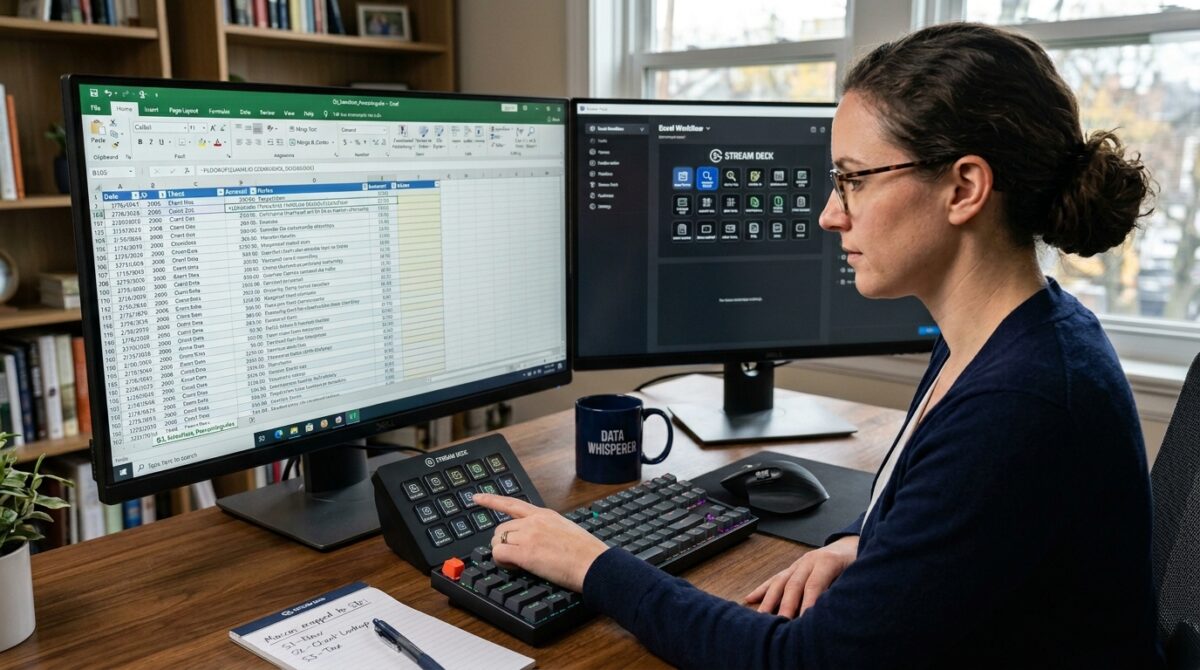
Mapping Complex Excel Macro Workflows to a Stream Deck for Faster Data Entry
Formatting cells, applying formulae, importing data, and executing sophisticated macros are examples of the kinds of repetitive procedures that may slow down productivity while managing huge datasets in Excel. Some examples of these chores include formatting cells. Despite the fact that macros are excellent tools for automating these repetitive operations, it is frequently necessary to navigate many menus or know keyboard shortcuts in order to execute them quickly. The integration of macros with a programmable control device like as a Stream Deck may improve the process of data input and workflow management for users who are wanting to optimize their speed and efficiency throughout their job. Users are able to immediately initiate complicated activities, limit the number of mistakes that occur, and free up mental capacity for higher-level analysis when they map complex Excel macro procedures to dedicated buttons. In order to achieve this level of productivity gain, it is essential to have a solid understanding of how to correctly organize macros, setup the Stream Deck, and optimize workflows.
An Explanation of Excel Macros and Their Function in the Automation Process
Excel macros are sequences of instructions that are recorded or programmed in order to automate repetitive processes. These jobs may range from simple formatting procedures to detailed data processing that involves many steps. Macros are very useful for power users that deal with large amounts of data since they may include conditional logic, loops, and interfaces with other spreadsheets or external files. Nevertheless, in order to perform these macros, it is often necessary to go to the Developer tab, create hotkeys, or execute scripts using the Visual Basic for Applications (VBA) editor. While these solutions are effective, they may not be the most efficient choice for processes that demand the execution of macros often or in a sophisticated manner. It is possible to simplify this procedure by mapping macros to a Stream Deck, which provides access to any macro with a single touch, regardless of how complex it may be.
The process of preparing macros for integration with stream decks
Ensure that the macros are strong, well-documented, and optimized for execution before mapping them to a Stream Deck. This is a critical step before mapping macros to a Stream Deck. It is important for users to examine each macro to ensure that it does not result in any mistakes, that it gracefully resolves exceptions, and that it does not depend on insecure references. It is helpful to avoid confusion when mapping macros to buttons by giving them names that are informative. This is particularly true in workflows that include many actions. It is also possible to improve the usefulness of the Stream Deck layout by organizing macros in a logical manner, such as by job type, workflow stage, or frequency of execution. Taking the effort to tweak and standardize macros before integrating them into the system assures that the user experience will be seamless and effective.
Configuring the Stream Deck Software
It is possible for users to designate functions to physical buttons on Stream Deck devices via the use of companion software. These functions include the execution of keyboard shortcuts, the execution of apps, and the triggering of scripts. The most common method for mapping Excel macros is assigning the hotkeys that are connected with each macro to a particular button. Users are able to arrange complicated processes into a logical structure that is similar to the Excel process thanks to the Stream Deck software’s capability for nested folders and multi-action sequences. Each button may have icons and labels that are unique to it added to it for the purpose of facilitating rapid identification. This eliminates the need to commit shortcuts to memory and makes the interface more visually intuitive. In order to convert Excel macro procedures into user-friendly, one-touch actions, it is essential to configure the program in the appropriate manner.
Process of Mapping Workflows with Multiple Steps to Single Buttons
The capability of a Stream Deck to carry out activities that involve several steps with only one button is among the most potent qualities of this kind of deck. Excel macro processes that include many actions in succession, such as importing data, cleaning it, applying formulae, and creating reports, take use of this feature in a particularly beneficial manner. In the Stream Deck program, users have the ability to design sequences that include several keyboard shortcuts, mouse operations, and macro executions. This essentially transforms a manual procedure that involves many steps into an automated chain that is initiated by a single button or button combination. This results in a large reduction in the amount of time and effort necessary for repeated operations, as well as a reduction in the likelihood of errors caused by humans.
Working to Improve the Efficiency of the Workflow Layout
In order to have a workflow that is efficient, the arrangement of the Stream Deck is an extremely important factor. Users need to organize macros and actions that are connected to one another, such as putting formatting instructions in one folder and data transformation activities in another folder. It is recommended that often used macros be assigned to the buttons that are the easiest to reach in order to facilitate speedy execution. On the other hand, actions that are less frequently performed may be buried inside additional folders. Users are able to manage complicated procedures in a rapid and natural manner by using color-coded icons and visual cues, which may further boost speed and minimize cognitive burden. In order to guarantee that the Stream Deck functions as an extension of the user’s workflow rather than a cause of confusion or clutter, it is necessary to optimize the layout.
Evaluation and Improvement of the Execution of Macroes
Extensive testing is required after mapping macros to the Stream Deck in order to guarantee that the tool will function without any hiccups. When triggered using the Stream Deck, users should execute each macro numerous times, monitor the outcomes of the execution, and make sure that there are no mistakes that arise. Complex workflows that include dependencies across macros may call for extra refinement, such as the inclusion of error-handling routines or the insertion of wait commands, in order to avoid conflicts. By evaluating and adjusting button assignments on a regular basis, users are able to adapt to changing workflows or new data processing, which helps them to retain constant productivity over time.
Increasing Productivity Through the Implementation of Innovative Features
Additionally, Stream Deck devices provide sophisticated capabilities that may further boost Excel productivity. These features go beyond the mere execution of macros. It is possible to set buttons in such a way that they may toggle between various actions, initiate conditional processes depending on the context of the spreadsheet, or interface with other apps such as email clients, task management systems, or databases. By combining these features, users are able to construct highly customized workflows in which Excel macros interact smoothly with other productivity tools. This results in a considerable reduction in the number of jobs that are repeated and an improvement in the overall efficiency of the workflow.
Working with Stream Deck Workflows While Maintaining and Scaling
Maintaining and growing Stream Deck setups becomes more important as the requirements for data input continue to develop. In order to accommodate additional jobs, users should extend the layout, do regular audits of the performance of macros, and update button assignments to reflect changes in workflow. For the purpose of preventing settings from being lost in the event of a device failure, backing up Stream Deck profiles is essential. It is also possible to enable training or handoff to other members of the team by documenting the mapping between macros and Stream Deck buttons. This makes it possible for collaborative contexts to benefit from the same productivity savings. It is possible for customers to optimize the return on their investment in Excel automation and the Stream Deck device by maintaining and growing the system on a constant basis.
Maximizing the Benefits of Integrated Macro Workflows
In order to turn repeated data input processes into simplified, one-touch procedures, it is possible to map complicated Excel macro workflows to a Stream Deck. Users get the benefits of a more structured approach to workflow management, speedier execution, and a reduction in the number of mistakes generated. By meticulously writing macros, setting buttons and sequences, optimizing layout, and continually improving the system, experts are able to attain a level of efficiency that is impossible to match with the conventional ways of using a keyboard and mouse alone. Those who work with huge datasets or do Excel procedures that are repetitive will find this integration to be a substantial efficiency gain. It combines the automation capabilities of macros with the tactile ease of a Stream Deck.