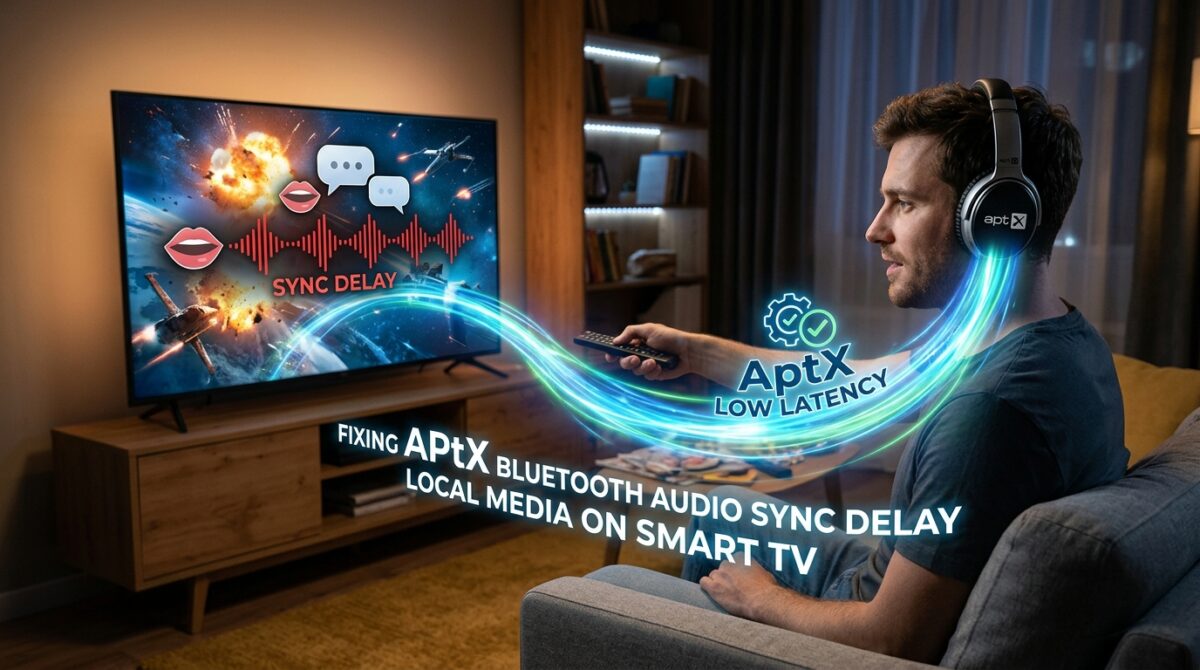
Fixing AptX Bluetooth Audio Sync Delay When Watching Local Media on Smart TVs
It is possible to enjoy an extraordinary level of convenience while watching movies, programs, or videos on a smart TV with wireless headphones or speakers; nevertheless, there is a typical problem that may spoil the experience, and that is the delay in the audio sync. This is especially obvious when using Bluetooth devices using the AptX codec, which is intended to provide high-quality audio but may sometimes introduce latency, causing dialogue and sound effects to lag behind the video that is being shown on the screen. In situations when accurate lip-sync is required for immersive watching, such as during fast-paced action scenes, the issue becomes very aggravating. There are a number of reasons that might lead to visible latency, including hardware capabilities, TV firmware, source media encoding, and Bluetooth transmission standards. AptX is one of the most popular audio formats because of its improved audio quality. By gaining an understanding of the underlying factors that contribute to AptX audio delay and implementing specific remedies, it is possible to restore appropriate synchronization and dramatically enhance the watching experience.
Uncovering the Factors That Contribute to the AptX Audio Delay
The codecs known as AptX and AptX HD are capable of compressing audio data for wireless transmission while preserving its high quality properties. On the other hand, the process of encoding, sending, and decoding audio may result in delays, particularly in situations when the television or playback device is not prepared to handle low-latency audio. Due to the fact that smart TVs with slower CPUs or older Bluetooth stacks may have difficulty processing the audio stream in real time, the delay is often more noticeable on these types of intelligent televisions. In addition, the playing of videos from local media, such as USB drives or storage that is connected to a network, may encounter delays caused by buffering or decoding, which further worsen the timing mismatch. There is a discernible delay between what is visible on the screen and what is heard via headphones or external speakers as a consequence of the combination of these elements.
Examining and Keeping the Firmware of the Television Up to Date
For the purpose of correcting AptX audio delay, one of the first tasks is to make certain that the firmware of the smart TV is up to date. Frequently, manufacturers will provide updates that enhance the performance of Bluetooth and improve the synchronization of audio and video capabilities. It is possible that these upgrades will contain improvements to the TV’s internal media player, as well as solutions for latency problems, improved handling of codecs such as AptX, and other improvements. It is essential to do firmware maintenance on older televisions since they may have difficulties with Bluetooth audio timing if they have not received upgrades in years. This may help minimize latency and improve overall media playing speed. Regularly checking for updates and implementing them can help.
Configuring the TV’s Audio Output Settings after Adjustment
Controlling the audio output formats and synchronization settings is a feature that is available on the majority of smart TVs. It is possible to enhance timing and minimize processing overhead by switching the audio output mode from high-fidelity or multi-channel settings to stereo. A “lip-sync” or “audio delay” adjustment is also available on certain televisions. This adjustment gives consumers the ability to manually tune the audio so that it is in sync with the visual. Through the process of fine-tuning the audio delay, it is possible to bring the speech and sound effects back into sync with the image, even though these settings may need some trial and error. Understanding the TV’s audio configuration options and experimenting with them is a critical step toward minimizing latency.
Enhancing the Performance of Bluetooth Headphones or Speakers
When it comes to audio sync, the receiving device is just as vital as the sending device. Some Bluetooth headphones or speakers feature low-latency profiles, such as AptX Low Latency (AptX-LL), which may significantly minimize the amount of audio lag that occurs when compared to the normal AptX. It is possible to get better synchronization by ensuring that both the television and the audio device support AptX-LL and that it is both activated. Additionally, maintaining the firmware of the Bluetooth device at an up-to-date level assures compatibility with the television and may contain improvements that cut processing time. When it comes to older headphones that do not support low-latency modes, the most straightforward option may be to switch to a new set of headphones that have better support.
Reduced Interference and Obstacles to Signal Transmission
Environmental variables, such as interference from Wi-Fi networks or other wireless devices, or physical impediments between the TV and the audio device, might have an impact on the delay of Bluetooth audio transmissions. It is possible to lessen interference by using the 5GHz band for Wi-Fi and making sure that there is a direct line of sight between gadgets. It is also possible to enhance time by reducing the number of devices that are operating in close proximity to the Bluetooth channel. Examples of such devices include microwaves, wireless cameras, and other audio transmitters. It is possible to achieve considerable reductions in delay by making even very simple modifications, such as adjusting the headphones or bringing the television somewhat closer to the receiver.
Utilizing Bluetooth Transmitters That Are External
When it comes to televisions that do not completely support low-latency AptX or that have substantial internal processing delays, the addition of an external Bluetooth transmitter may be an efficient option. The majority of the time, these transmitters are equipped with compatibility for AptX-LL and can connect via optical, AUX, or HDMI outputs. In order to offer a connection to headphones or speakers that is more direct and has a lower latency, they are able to circumvent the internal Bluetooth module of the television. Additionally, users are able to keep the audio quality good while obtaining much better synchronization with the use of external transmitters. This is especially helpful for older smart TVs or devices that do not natively support AptX-LL.
Audio synchronization using the settings of the media player
It is also possible for the software or media player to have an effect on the audio delay while playing down local media. There are certain media players that provide the ability to manually synchronize audio with video or alter the audio offset independently. Playback of high-bitrate or compressed video files, which may have varied decoding durations, is a situation in which this is extremely helpful. It is possible to fine-tune the lip-sync across a variety of media formats by using a player that supports audio delay changes. This allows for fine-tuning on a per-file basis. The combination of this strategy with low-latency Bluetooth devices has the potential to provide synchronization that is almost flawless.
It is important to take into consideration wired alternatives for critical viewing.
The use of a cable connection is the most dependable approach for eliminating audio latency, despite the fact that AptX and Bluetooth provide simplicity. Connecting headphones or speakers by AUX, optical, or HDMI ARC completely removes the need for wireless latency connections. Wire connections continue to be the gold standard for users who place a high priority on accurate audio-visual synchronization, whether they are working on professional video production, watching movies, or playing video games. In order to significantly increase sync performance and avoid the need for expensive modifications or specialist gear, even a short connection may provide significant benefits.
Obtaining the Most Optimal Sync for AptX Audio on Smart Televisions
It is necessary to take a comprehensive strategy in order to resolve the AptX Bluetooth audio sync delay. This method should include firmware upgrades, TV audio settings, low-latency headphones, decreased interference, external transmitters, and modifications related to media player settings. These techniques have the potential to lessen the problem to the point that it becomes almost undetectable during the playing of local media. Wireless audio is naturally subject to some delay, but these measures can help minimize the issue considerably. Despite the fact that wired alternatives continue to be the most dependable choice for entirely eradicating delay, the most effective technique for vital watching experiences is to combine low-latency devices with cautious setting. Users are able to enjoy high-quality wireless audio with synchronized video for a smooth entertainment experience if they have an awareness of the interaction between the hardware, software, and ambient elements.