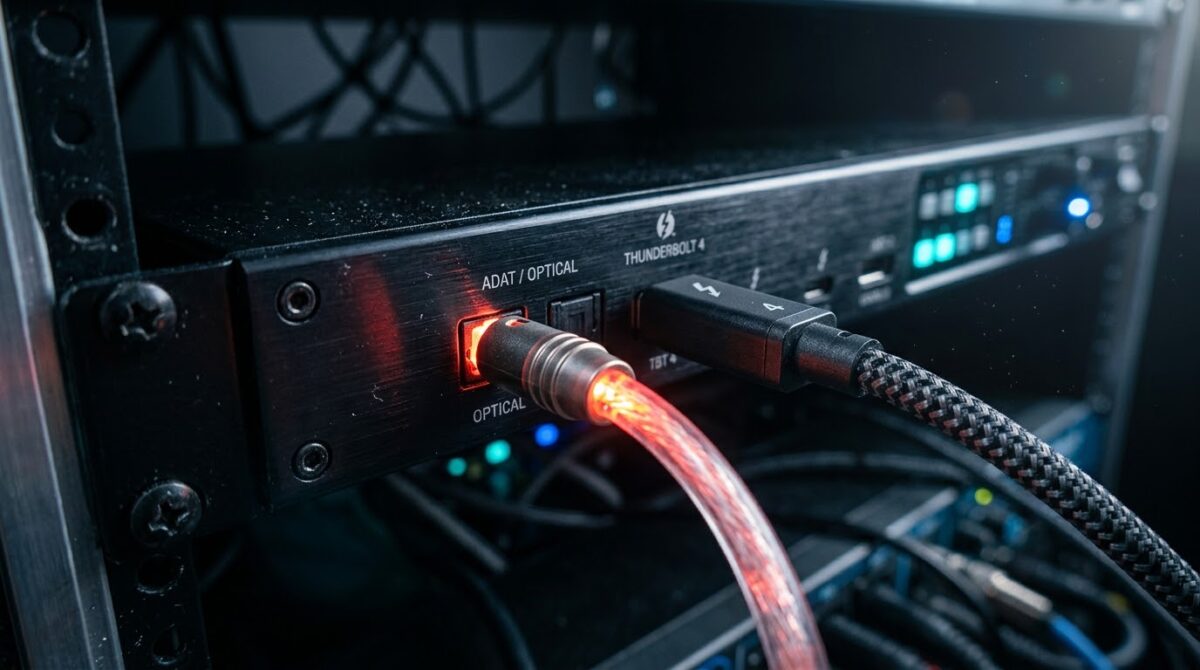
Optical vs Active Cable Thunderbolt 4 Connections for Long-Distance Audio Interface Stability
Thunderbolt 4 audio interfaces are growing in popularity as audio engineers, podcasters, and home studio owners demand minimal latency, high channel counts, and rock-solid driver support. The challenge is when the computer and the interface cannot be within arm’s length of each other. Studios with separate control rooms, live venues with stage racks and broadcast setups with machine rooms all require cable runs that surpass the short passive constraints provided by the standard. At this stage, purchasers are faced with a realistic choice between active copper connections and optical cables. Both promise full 40 Gbps performance, but they operate very differently in the real world. Signal integrity, electrical noise, bus power delivery, long term longevity, and whether things are smooth or it all falls apart with dropouts and clicks. In this tutorial we explain how each cable type works, where it excels, and how to choose the ideal solution for steady, professional audio over long distances.
What is Thunderbolt 4 Cabling for Audio Interfaces? How does it work?
Thunderbolt 4 supports data, video and power through one connector and promises a minimum level of performance for authorized cables. Passive copper cables are only good for 40 Gbps to roughly 0.8 meters, which is rarely adequate for a studio with a separate machine room. Audio interfaces use this connection to carry dozens of audio channels with very small buffer sizes where any disruption to the data flow might result in audible pops or a total loss of sync. The protocol tunnels PCI Express communication, meaning the interface works virtually like an internal extension card. The design provides excellent latency but minimal room for error correcting delays. When a cable struggles to sustain signal quality, it often results in a dropped device rather than a steady lag, making cable choice considerably more essential than many users assume.
Understanding Active Copper Thunderbolt 4 Cables
Active copper cables have little chips within the connection housings that retime and condition the signal as it goes down the wire. This layer of electronics enables copper cables to extend two meters and yet provide 40 Gbps transfer speeds. They are cheap, readily accessible and bus-powered, meaning they can power small interfaces that draw their power directly from the port. Many users also like that active cables are small and flexible, making them easier to route behind desks or inside racks. But physics still limits copper, and lengths of more than two to three meters usually necessitate either dropping the transmission rate or using a whole other technology. For short to medium studio runs, active copper still remains a good and economical alternative that balances cost, convenience and performance.
What are Optical Thunderbolt 4 Cables?
Optical Thunderbolt cables turn the electrical impulses into light within the connector, send the light through glass fibers, then convert it back into electrical signals at the other end. This solves most of the attenuation difficulties that plague copper and allows verified lengths of 30 meters or more while still retaining full 40 Gbps capacity. Optical designs are substantially thinner and lighter than their long copper counterparts, making them much easier to drag through conduits and walls. The fiber itself does neither carry any interference nor any ground path as light does not conduct electricity. The tradeoff is cost, optical assemblies are much more expensive and most versions do not supply bus power to the attached device. Hence users will have to provide for an external power supply on the interface side. This is an important point to consider when considering the overall system architecture.
Signal Integrity and Latency Concerns
For audio work, the challenge is whether that link will remain reliable at low buffer levels for hours of recording or live mixing. Also, light loses much less than electrical current in copper, therefore optical connections can maintain communication integrity over very long distances. Active copper cables work effectively at their rated length but their error margin decreases rapidly with tight routing or slightly worn connectors. Light and electrical signals travel at comparable fractions of the speed of light , so the latency contributed by the cable itself is minimal in both circumstances . But the actual difference is stress dependability against pure delay. A pristine signal quality connection prevents buffer underruns, making round-trip latency predictable and protecting sensitive tracking sessions from glitches.
Electromagnetic Interference and Ground Loop Issues
The studio is a noisy electrical environment, with power supply, lighting dimmers, wireless transmitters and long runs of mains wiring. Even when fully insulated, copper cables can pick up interference or become part of a ground loop between two devices connected to different power circuits. These problems can manifest as hum, buzz or intermittent disconnects that are difficult to locate. Electrical isolation between the computer and the interface is provided via optical cables, thus eliminating ground loops at the data link, and taking away a frequent cause of inexplicable noise. This isolation is particularly useful in live sound, theatrical installations and huge facilities where equipment can be powered from different distribution panels. In fact, electrical isolation is a key reason to invest in fiber for crucial productions.
Power Delivery and Bus Power Interface Constraints
The thing that surprises many buyers who upgrade to a longer wire is power. Active copper connections can transfer power from the computer to the interface, so that small bus-powered devices can run without a wall adaptor. Most optical cables do not carry power so the interface needs its own power supply close to the device. This constraint rarely matters for larger professional interfaces, which already require external power. But smaller, portable machines may refuse to work or act unpredictably if they expect power that never arrives. It is therefore recommended to check the interface parameters before purchasing to avoid unwelcome surprises and establish whether the cable run requires an additional power outlet at the remote site.
Installation Practices, Handling and Durability
Physical durability is important since the cables in studios and arenas get bent, trodden on, coiled, and relocated over and over again. Active copper cables are normally rugged and suitable for everyday use, but the inside chips can fail if the connectors are stretched or if they overheat. Because optical cables contain sensitive glass fibers, tight bends, crushing, or sharp kinks can weaken the signal or cause irreversible damage. Manufacturers provide minimal bend radii which should be adhered to by installers when routing. Strain relief, cable trays and protective sleeves prolong the life of both types. Good planning, labeling and a store of spare cable are well served for permanent installations. Protective enclosures and meticulous coiling techniques that will maintain performance over years of use should be relied on for mobile rigs.
Cost, Compatibility and Certification Issues
Active copper and optical cables can vary widely in price, and budget-conscious studios generally start by questioning whether the extra expense is worth it. Active copper cables are a lot cheaper and perform fine for runs up to two meters, which covers most desk and rack layouts. Optical connections are a good value when the alternative is to move equipment, put in extenders or risk unsuccessful sessions. Compatibility is another concern, as uncertified or counterfeit cables may advertize Thunderbolt 4 support yet not adhere to the standard. Buyers should search for the official certification emblem, check the claimed length and speed rating, and ensure it supports your operating system and host controller. Firmware updates for the interface and computer ports can further increase connection dependability.
Choosing the Correct Cable for Your Studio or Stage
“Best depends on distance, power requirements and how much risk a production can afford to take.” A certified active copper cable, bus-powered or compact interface, provides outstanding value and steady performance for runs up to two meters. For longer routes and locations with strong electrical noise, such as different rooms, optical cables offer the stability and isolation that professional audio requires. You can avoid most of these by planning for an external power supply, shielding the fiber during installation, and testing your system at the desired buffer size before an essential session. Treat your cable as an important part of the audio chain, not as an accessory, and your system will reward you with reliable glitch-free recording and playback for years to come.