Hardware Colorimeter Internal LUT Calibration vs Graphics Card Software ICC Profiling for Wide-Gamut Displays
Wide-gamut displays are already ubiquitous tools for photographers, video editors, graphic designers and print pros, but their wider color gamuts provide a new difficulty. Without calibration, intense reds and greens might look OTT, skin tones can shift and photographs prepared on one screen can look different on another. There are two basic ways to solve this problem. Hardware calibration calibrates the look-up tables inside the monitor itself using a colorimeter. Software ICC profiling corrects color through the graphics hardware and operating system. Both techniques use a measurement equipment, but the signal is changed at different points in the chain. The difference affects banding, precision, consistency and compatibility with apps. This article describes how each method works and how to pick the best one for reliable color on a wide gamut monitor.
How LUT Calibration for Hardware Works
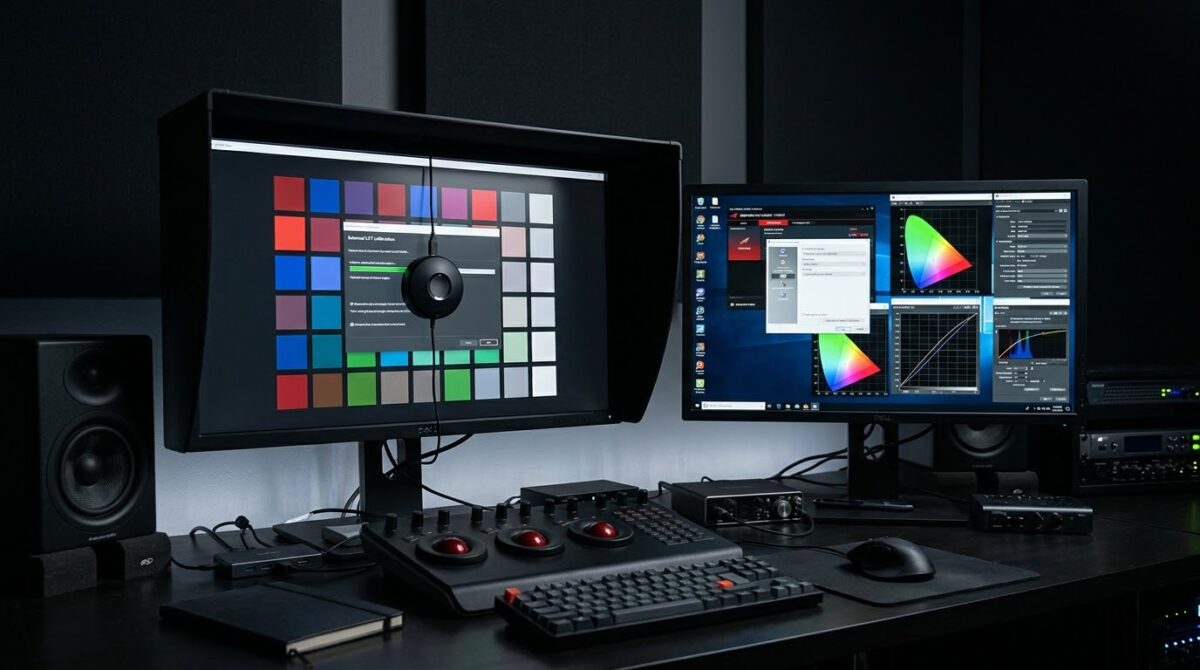
Hardware calibration means a colorimeter measures the screen with specific software talking directly to the display through a USB connection. The software changes the internal lookup tables – high precision tables inside the display’s processing circuits – to manage the white point, brightness, gamma and gamut behavior. These tables are generally 10, 12, or even 14 bits internally, so the monitor has plenty of room to fix color without losing tonal steps. When the calibration is finished the settings are stored in the monitor so they will work for whatever computer, operating system or application you plug in. This ensures a consistent behavior of the display and the corrections remain active even if the screen is relocated to another workstation.
How Software ICC Profiling Operates
The software profiling starts with a colorimeter measurement which is saved as an ICC profile that explains how the display performs, not as something that changes the monitor itself. The operating system and color management programs read this profile and convert image colors so that they are displayed correctly on that particular screen. Usually a modest correction curve is placed into the graphics card for the adjustment of the gray balance and brightness responsiveness. This technique works practically any monitor—even cheap ones that don’t have internal calibrating assistance. The result is dependent on the behavior of the monitor, because the profile can define the display but cannot modify the fundamental capabilities of the display. This is a very extensively used solution and it is adaptable. It does require each program to honor color management.
Accuracy and Delta E Performance
Accuracy is commonly quantified in delta E values that measure how far off displayed colors are from their intended objectives. Hardware calibration is more likely to result in fewer average and maximum errors, since it calibrates the monitor itself and is maintained with complete tonal precision. Software profiling can still do a pretty decent job on excellent panels, especially those that have solid factory settings, but it has to work with what the display gives it. If a display has a severe inherent color bias, then the graphics card adjustment might have to compress levels to get it right. For crucial proofreading, packaging design and broadcast work, the higher precision of internal calibration frequently justifies the increased expense and setup time.
Banding, Bit-Depth, and Gradient Smoothness
The gradient smoothness exposes the technical gap between the two methods. Software profiling uses the correction curve of the graphics card, which is usually limited in precision. When the card changes an eight bit signal some tonal steps are combined or lost and apparent banding can emerge in clean sky, shadows and studio backdrops. The hardware calibration makes its adjustments in a higher bit-depth pipeline so the final signal sent to the panel has smoother transitions. Users can increase software results with a ten bit graphics connection and a suitable display, but that depends on the whole chain supporting it. Gradient ramp tests are a quick way to see how good a setup is.
Color Management Support and Application Compatibility
One practical concern is application behavior. Software ICC profiles only function when programs utilize color management, and many professional editing tools do it correctly. Web browsers, games, video players and some utilities may ignore the profile or handle it inconsistently, and consequently, colors may look different between apps. Hardware calibration helps here because the monitor already has correct behavior thus even the apps that ignore profiles give a more consistent baseline. The hardware calibration is still typically accompanied with a brief ICC profile describing the final condition. For users who do not want to get confused while seeing photographs through several applications, it is useful to know which apps respect color management.
Uniformity across several monitors and computers
If you have a studio with numerous displays or computers, all screens must match. With hardware calibration you are able to set each monitor to the same white point, brightness, and gamma. This gives you a consistent visual starting point across the room. The calibration is in the display, thus transferring from a desktop to a laptop does not impact the image. Software profiling can still match screens . Each computer and operating system has to load the correct profile . Mismatches can arise after upgrades or driver modifications . In mixed macOS and Windows systems, hardware calibration is especially useful because the display itself is the stable reference point for all connected devices.
Cost, Support for Monitors, and Workflow Effort
Cost and compatibility substantially affect the practical use of the method. Hardware calibration requires a monitor with a configurable internal LUT and supported calibration software, typically seen on higher cost professional models. Software profiling may be performed with almost any display and requires only a colorimeter and suitable software, therefore is the most economical and accessible way to go. The setup time is comparable but hardware calibration can offer more targets and options that need careful selection. Both systems must be regularly recalibrated as panels age and drift. Whichever approach is used, a regular timetable, usually monthly for key tasks, maintains high accuracy.
How to Choose the Right Calibration Method for Your Monitor
But for professionals who need the highest accuracy, smooth gradations and uniform color across many systems, hardware LUT calibration on a compatible wide-gamut monitor is the better solution. ICC profiling is still a realistic and effective solution for budget displays, general creative work, and users with monitors without internal calibration functions. Check your display specs, check program compatibility, and select targets that match your final output, be it online, print, or video. Use consistent room lighting, let the screen warm up, and check results with test images so your wide-gamut display remains accurate, consistent, and trustworthy.