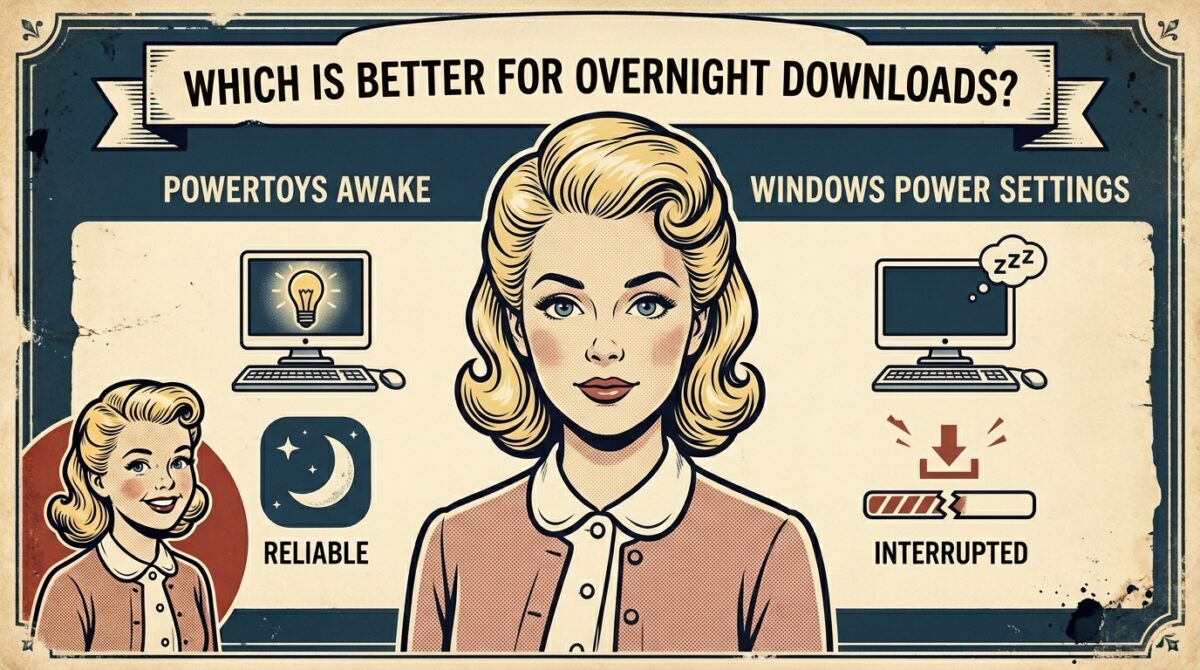
PowerToys Awake vs Windows Power Settings: Which is Better for Uninterrupted Overnight Downloads?
If you want to leave a computer running overnight for the purpose of downloading huge files, updating the system, or transferring files, you need a reliable method to keep the machine from going to sleep. Any interruption, no matter how short, has the potential to halt downloads, corrupt data, or drastically delay completion timeframes. PowerToys Awake offers a more flexible and temporary option for keeping the system active, while Windows’ built-in power settings let users to customize how the machine behaves while it is sleeping. In spite of the fact that both choices are aimed at accomplishing the same objective, they are not same in terms of dependability, control, or conduct when left unattended. When it comes to doing work overnight, when there is little to no user oversight, selecting the appropriate procedure becomes very critical. When selecting which option is most suited for continuous downloads, it is important to take into consideration a number of factors, including the stability of the system, the behavior of the lock screen, and the convenience of setting.
Describe the operation of PowerToys Awake in Windows
The purpose of PowerToys Awake is to prevent the system from entering sleep mode without permanently altering the power settings for the whole system. It is a lightweight software. In order for it to function, it sends signals to the operating system that imitate user activity. This basically keeps the computer awake while it is functioning. Users have the ability to enable it to remain active for an endless period of time or for a particular length, which makes it handy for time-bound operations such as downloading files overnight. In order to make advantage of this temporary override, it is not necessary to delve deeply into the settings of the system.. On the other hand, it is dependent on the program operating in the background continually. In the event that the application is stopped, experiencing a crash, or being limited by the system, the computer may return to its normal sleep pattern, which may result in downloads being interrupted.
Gaining an Understanding of the Windows Power Settings for Controlling Sleep
You may control when a computer goes to sleep after a period of inactivity by using the Windows Power Settings, which are a built-in, system-level feature. By making adjustments to these settings, users have the ability to either lengthen the sleep timer or completely eliminate sleep, so guaranteeing that the machine continues to function for extended periods of time. In contrast to tools provided by third parties, these configurations function independently of apps and continue to function properly even if the machine is closed or left unattended overnight. They are especially dependable for downloads that take place overnight because of this. After the configuration is complete, the system will continue to carry out duties without needing any extra software or active participation from the user. The use of this level of integration guarantees constant performance and lessens the likelihood of unexpected disruptions.
Availability During Downloads That Take Place Overnight
The most important consideration to take into account while keeping downloads running overnight is reliability. When it comes to providing a solution, Windows Power Settings are often more reliable since they operate at the fundamental level of the machine. They are unaffected by anything that may occur, including application crashes, failures in background processes, or changes in user sessions. Despite the fact that PowerToys Awake is useful in many situations, it does put an extra reliance on a program that is already running. If there is anything that causes the program to become unresponsive, the machine can suddenly enter sleep mode. Apart from that, some actions of the system, such as automatic locking, have the potential to disrupt the operation of Awake. At extended, unsupervised sessions, it is necessary to minimize sites of failure. Windows Power Settings has a distinct edge in terms of dependability because of this benefit.
Ease of Use and the Procedure for Setting It Up
Designed with ease of use and speed of access in mind, PowerToys Awake gives users the ability to activate or disengage the feature with no additional effort required. It offers a user interface that is easy to understand and allows users to effortlessly choose the duration of time that the device should stay awake. As a result, it is perfect for usage for a short period of time or for situations in which rapid modifications are required. On the other hand, in order to adjust sleep times or power plans, Windows Power Settings necessitates traveling through the system menus. In spite of the fact that the procedure is not complicated, it takes longer than switching a utility on and off. Windows Power Settings, on the other hand, do not need recurrent modifications after they have been established, which makes them more useful for carrying out operations that occur repeatedly overnight.
Versatility and a Variety of Control Options
The adaptability of PowerToys Awake is one of the most notable advantages of this product. Depending on their requirements, users have the ability to establish particular durations, designate expiry timings, or keep the machine awake as long as they like. This specific level of control is especially helpful in situations when the length of time that a download will take is already known. In contrast, Windows Power Settings provides a greater number of static settings, such as predetermined sleep times or the ability to completely off sleep completely. In comparison to Awake, the amount of dynamic control is still more restricted, despite the fact that expert users have the ability to construct their own power plans. On the other hand, its simplicity helps to maintain its consistency and minimises the possibility of a misconfiguration occurring.
Utilization of System Resources and Effectiveness
Although PowerToys Awake and Windows Power Settings both have a very little effect on the overall performance of the machine, their methods of operation are distinct from one another. PowerToys Awake is a process that operates in the background and uses a minimal amount of system resources in order to perform its function of keeping the user awake. The Windows Power Settings are incorporated into the operating system and do not call for any new processes. As a consequence, there is almost no additional overhead generated by these settings. Although this difference is insignificant for the majority of current systems, it may be marginally more efficient to depend on built-in capabilities in situations that are either lower-end or have limited resources. In real-world situations, neither of these choices has a major impact on the speed of downloads or the responsiveness of the system.
Considerations Regarding the Lock Screen and Security
After leaving a system unattended for the night, security becomes a crucial consideration. The Windows Power Settings feature enables the computer to stay awake while still enabling the lock screen. This keeps the system secure and prevents unwanted users from accessing it. Based on the setup and rules of the system, it is possible that PowerToys Awake will not perform as planned while the system is under lockdown. Consequently, this may result in a scenario in which users are required to make a choice between keeping the system awake and preserving its security. For overnight downloads, in which the device is often left unattended for lengthy periods of time, it is crucial to retain both functioning and security. Because of this, built-in power settings are a safer alternative than other options.
Use cases that are optimal for each method
PowerToys Awake is most effective when used in situations that are only temporary and in which users want rapid and flexible control over their sleep pattern. When it comes to brief downloads, presentations, or scenarios in which altering the settings of the system is not desired, it delivers excellent results. The Windows Power Settings are better suited for operations that need constant attention and last for an extended period of time, such as downloading files overnight, creating backups, or installing updates. They guarantee that duties continue without interruption, independent of the activities of the user or the status of the program, thanks to their integration at the system level. Having an understanding of these use cases enables users to pick the approach that is most suitable for meeting their particular requirements.
Which Choice Is Superior for Downloads That Are Completely Uninterrupted Overnight?
In general, Windows Power Settings are the superior option for uninterrupted downloads that take place overnight. This is because of their dependability, compatibility with security protocols, and independence from apps that are now active. In spite of the fact that PowerToys Awake provides an exceptional level of adaptability and user-friendliness, it is less reliable for long-term, unattended operations due to its dependence on an active process and the possible constraints associated with closed systems. Users should depend on Windows Power Settings if they want a reliable and worry-free experience. On the other hand, users who want rapid and temporary management may still benefit from utilizing PowerToys Awake for shorter intervals.