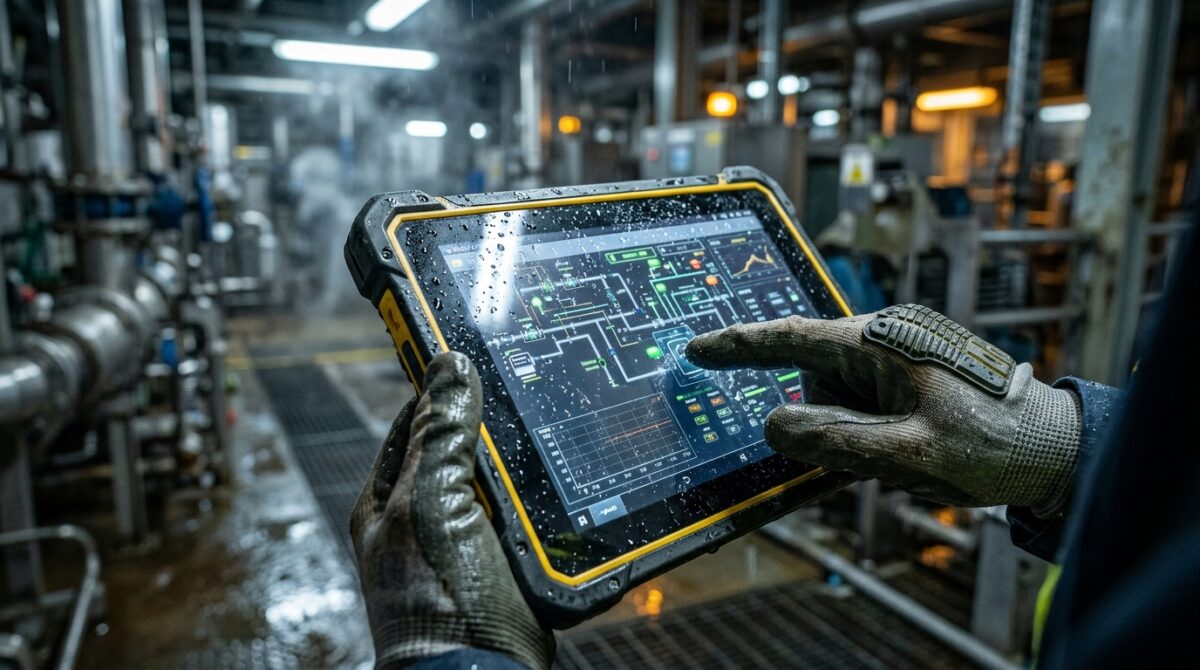
Capacitive vs Resistive Touch Screen Digitizers in Industrial Tablet Workflows Under Wet and Gloved Conditions
Industrial tablets are utilized in warehouses, factories, food processing plants, oil fields, building sites and outdoor logistics where workers are not always able to operate a screen with clean, bare fingers. The touch digitizer is the layer that detects input and translates it into commands. Rain, splashes, humidity, thick gloves and filthy hands all fight against it. There are two basic technologies here. Capacitive and resistive. We know and love capacitive screens today from our smartphones, but resistive screens have a long history in harsh equipment. They all deal with wetness, gloves, accuracy and durability in different ways and a poor choice might slow down tasks, create input errors or frustrate staff. In this guide you will learn how each type of digitizer works and how to choose the best one for demanding industrial processes.
How capacitive touch screens detect touch
A capacitive digitizer uses a grid of transparent electrodes under the glass to generate an electrostatic field across the screen. A conductive object , such as a bare finger , approaching it distorts that field . The controller estimates the precise location of the touch . The design allows for fluid motions, multi-touch input, pinch zooming and very fast response without pressure. Bright, sharp visuals. The glass surface is robust, transparent and scratch resistant. The screen responds to electrical change , not force . So it needs a conducting input . Standard rubber or leather gloves can impede detection, which is why robust versions need special tuning or extra hardware to perform consistently in the field.
How Resistive Digitizers Sense Touch
A resistive digitizer is composed of two flexible conductive layers separated by a tiny gap. When pressure is applied , the layers are brought into contact . The controller analyzes the change in voltage and uses it to determine the position . The technology responds to physical force, so it works with just about everything including gloved fingers, a plastic stylus, a pen or even a tool handle. That technology is simple, cheap and proven in tough devices like handheld scanners and legacy point-of-sale systems. The trade-off is that the flexible top layer diminishes optical clarity, inhibits multi-touch capability and makes the surface feel less smooth than glass in normal use.
Performance in Hazardous and Cold Environments with Gloves
One of the most critical elements in selecting industrial screens is the use of gloves. Resistive screens naturally function with thick leather, heated winter gloves and chemical resistant gloves, as you only need to press hard. Capacitive screens can also work with gloves if the controller is set to be more sensitive, and many industrial models have a special glove mode. This setting enhances detection range, however excessively thick or insulated gloves may still result in a decrease in accuracy. Cold storage facilities and winter field work sometimes necessitate significant protection, so teams should test candidate tablets with the same gloves personnel use before making a large purchase.
Performance in Water, Rain and Humidity
Moisture is a major challenge for capacitive technology because water droplets can conduct electricity and replicate the touch of a finger. This can result in ghost touches, odd cursor leaps or non responding areas when the screen is wet. Many industrial capacitive tablets solve the problem with powerful controllers, water rejection algorithms and specific modes that overlook big drops. Resistive screens are pressure sensitive, not conductivity sensitive hence they are reliable in washdown regions, boats and wet outdoor locations since they are not impacted much by water. Still, both types require sealed edges and an ingress protection rating to keep fluids from reaching internal components.
Accuracy, Speed and User Experience
Capacitive screens deliver a faster, smoother experience with accurate tracking, smooth scrolling and intuitive movements that save training time. Employees who already use cellphones quickly adjust to them and modern software interfaces are often designed for capacitive input. Resistive screens demand a harder tap and can feel sluggish, especially when going through complex menus or maps. They also do best with basic interfaces, large buttons and straightforward layouts. Resistive accuracy is frequently more than enough for signature capture, form entry, and light inventory scanning when using a stylus for fine control.
Durability, Surface Protection, Maintenance
The durability will be dependent on use and cleaning of the screen. Capacitive glass is scratch resistant and can be made stronger with chemically treated cover layers, which is good for dusty and abrasive settings. Severe impact can break it, hence tougher designs often have protection bumpers and thicker laminated glass. Resistive screens are more resistant to impact without shattering, although the flexible plastic top layer of Resistive screens might scrape, wear, or develop dead patches after years of repeated pressure. Regular cleaning with certified wipes, screen protectors, and replacement planning ensures optimum performance for both types throughout the device lifecycle.
Cost, Software Support, and Lifecycle Planning
In general, resistive tablets are less expensive to purchase and repair, making them a good choice for fleet applications in rugged environments with routine duties. Capacitive models are more expensive, but can run contemporary operating systems, richer applications and offer higher display clarity. Software compatibility is increasingly critical, as many of today’s programs want multi-touch gestures and seamless scrolling. Choosing a legacy resistive device can impact future upgrades and lead to a reduction in vendor support over time. Organizations should consider the purchase price in relation to training time, error rates, replacement cycles and the expected life of their workflow software before committing to a platform.
How to Choose the Right Digitizer for Your Industrial Workflow
Resistive touchscreens still make a good and cost-effective solution for damp washdown locations, excessively thick gloves or simple data entering activities. For teams who need current apps, multi-touch gestures, vivid visuals and mild to moderate glove use, a rugged capacitive tablet with glove and water rejection modes offers a more robust long-term option. Field test with real gloves, real moisture, real tasks and get input from the workers before you send out a fleet. A well-matched digitizer increases productivity, eliminates input errors and ensures industrial tablet workflows remain reliable in the most extreme environments.