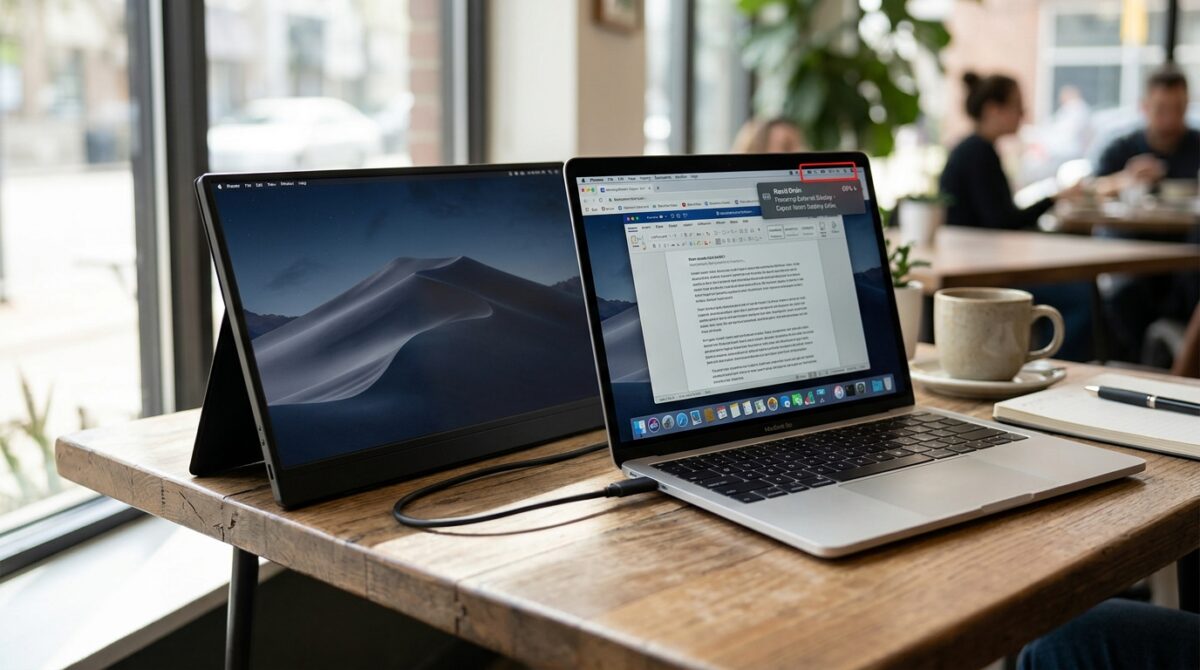
Portable External Monitors: How Drawing Power Directly from a Laptop Affects Overall Battery Drain Speed
Remote workers, digital producers, students, and professionals who want a bigger workspace but do not wish to carry a standard desktop setup are among the groups who are increasingly turning to portable external displays. When traveling or working in situations that are flexible, these lightweight monitors provide a practical option to enlarge the screen of a laptop. There are a lot of portable monitors that function via a single USB-C connection that transports both video data and electrical power. This enables the display to draw power directly from the laptop, eliminating the need for a separate power adapter. Even while this configuration makes the laptop more portable and minimizes the amount of cable clutter, it also creates greater stress on the battery of the laptop. After gaining an understanding of the ways in which portable displays influence battery drain, users are able to make more informed choices about productivity settings, travel routines, and power management methods.
The Process by Which Portable Monitors Get Their Power from Laptops
When it comes to receiving energy from a connected laptop, portable displays often make use of the USB-C power delivery technology. The display extracts the necessary amount of power from the battery system of the computer, rather than having its own power supply of its own. In addition to producing sufficient power for the internal components of the laptop, such as the CPU, memory, and display, the laptop must also be able to provide sufficient power for the external screen. A monitor’s size, brightness level, resolution, refresh rate, and panel technology all have a role in determining the extra electrical load involved. While there are portable screens that only use a tiny amount of power, there are some versions that are bigger and brighter that may dramatically increase the total amount of battery use during lengthy work periods.
Understanding the Connection Between Power Consumption and the Depletion of Batteries
One of the most common units of measurement for the amount of electrical energy that a laptop battery can store is the watt-hour. Additionally, the pace at which that stored energy is spent is increased by each and every linked device. It is possible to transform the laptop into a power source for another display system by connecting a portable monitor to it. In proportion to the rate at which the display uses power, the amount of time that the laptop may be used before it has to be recharged decreases. Because laptops also modify the behavior of their processors, display brightness, and power-saving features based on the circumstances of the job, the effect is not always proportionate. Adding an external monitor, on the other hand, nearly invariably results in an increase in the overall energy requirement.
The sentence “physics_learning_block”:”type_id”:”POTENTIAL_ENERGY”” is a genui.
The Power Consumption of Portable Monitors and the Factors That Affect It
It is not the case that all portable displays have the same impact on battery life. The size of the screen is one of the most important considerations since bigger panels need more electricity to effectively light. Because more pixels need to be updated and processed, higher resolutions also result in an increase in the amount of energy that is required. With the backlight system often being one of the most significant contributors to display power consumption, the brightness settings have a particularly apparent influence on the display. There is also the possibility that the refresh rate will have an effect on utilization, with higher refresh rates often necessitating greater processing and display activity. As a result of the presence of features like built-in speakers, touch capabilities, and extra USB ports, the monitor’s energy needs may perhaps grow even higher.
An Analysis of the Effects of USB-C Connection Efficiency on Performance
Through the use of a single connection that can carry data, video, and power, USB-C has made the process of connecting portable monitors more simpler. It is important to note that the effectiveness of this connection is contingent upon the quality of the hardware that is involved. While some laptops and displays are capable of supporting sophisticated power delivery standards that maximize energy transmission, others may only be able to give a limited amount of power output. In situations when the laptop is having difficulty supplying sufficient energy, the display may experience a decrease in brightness, make intermittent disconnections, or call for an external power source. There is a direct correlation between the efficiency of the USB-C power channel and the amount of energy that is wasted during the transfer process as well as the rate at which the laptop battery depletes.
The Impact on the Various Distinct Categories of Laptops
The influence that battery drain has on a laptop varies based on the kind of laptop of the user. Ultrabooks and thin productivity laptops often face a more visible drop in battery life due to the fact that they include smaller batteries constructed with efficiency and portability in mind. Gaming laptops and workstation-class computers often feature bigger batteries and more powerful power systems, which enables them to handle external screens in a more comfortable manner. Nevertheless, more powerful computers also use more energy under regular workloads, which means that an external monitor may still dramatically decrease the amount of time that the machine is functioning. The total impact is contingent upon the capacity of the battery, the effectiveness of the system, and the degree to which the user’s activities are demanding when the device is in operation.
Interaction Between Portable Monitors and the Workload of the CPU
There is a possibility that the CPU and graphics hardware of the laptop may encounter higher workload, despite the fact that the display by itself consumes electricity. In order for the graphics system to be able to drive an extra display, it must produce an additional output stream, handle an increased number of pixels, and keep additional display communication active. For activities that are reasonably straightforward, such as surfing the internet or drafting papers, the effect may be rather little. However, activities that need a lot of energy, such as video editing, 3D modeling, gaming, or the generation of high-resolution material, might cause an even greater rise in energy usage. In these kinds of circumstances, the external monitor makes a contribution not only by drawing power directly from the system but also by imposing extra processing needs on the system.
Adjusting the Display’s Brightness and Performance Settings
Making adjustments to the settings of a portable monitor is one of the simplest methods to lessen the effect on the battery. A great number of people use their external displays at their highest possible brightness without being aware of the extra amount of energy that this consumes. One way to significantly increase battery longevity is to reduce the brightness to a level that is comfortable. As a means of reducing power consumption, lowering refresh rates in situations when high-speed motion is not required might be beneficial. It may be possible to achieve even greater economy by turning off features that are not being used, such as built-in speakers, touch controls, or extra connection choices. It is possible to increase the runtime of a laptop by making minor tweaks while still keeping a productive dual-screen workstation.
Examining the Differences Between Portable Monitors and Conventional External Displays
While traditional desktop displays normally make use of their own power adapters, they do not directly impact the amount of time that a laptop battery may last. Their ability to produce greater levels of brightness, bigger screen sizes, and better performance is due to the fact that they are not restricted by the power supply capabilities of USB. On the other hand, portable monitors sacrifice some of this functionality in exchange for mobility and convenience. Their capacity to function on a laptop battery makes them excellent for use in temporary settings, coworking spaces, and travel; nevertheless, it is important to take into consideration the expense of electricity. Users who typically operate in close proximity to power outlets may have a preference for bigger dedicated screens, but mobile professionals usually consider the battery trade-off to be acceptable in exchange for additional flexibility.
Strategies for Lessening the Impact of Batteries
Users who depend extensively on portable monitors have the ability to increase their productivity by making a number of tweaks that are realistic. The activation of battery-saving settings on laptops, the reduction of background apps that are not essential, and the reduction of screen brightness are all ways to assist save energy. It is also possible to limit the amount of power that is required by using a portable monitor that has an efficient panel design and an adequate resolution. Some customers choose for displays that feature independent power input, which enables them to attach a portable charger or power bank rather than depending only on the battery of their laptop. Taking use of these options allows for additional flexibility while yet preserving the advantages of having a larger workspace.
Productivity and battery efficiency in a state of equilibrium
It is true that portable external displays provide considerable productivity benefits by increasing screen area in a compact shape; nevertheless, the convenience of these monitors comes at the expense of an increase in energy consumption. Directly drawing power from a laptop increases the amount of battery drain that occurs since the computer has to provide energy to both its internal systems and the display that is external to the laptop. Specifications of the display, the hardware of the laptop, the effectiveness of the connection, and the user settings all have a role in the impact. When working for a short period of time, the battery drop may be scarcely perceptible; nevertheless, prolonged usage may drastically reduce the amount of time that the device is required to be disconnected. It is possible for users to experience the advantages of portable dual-screen workflows while preserving improved battery performance if they have a thorough awareness of the aspects that contribute to power consumption and optimize display settings.