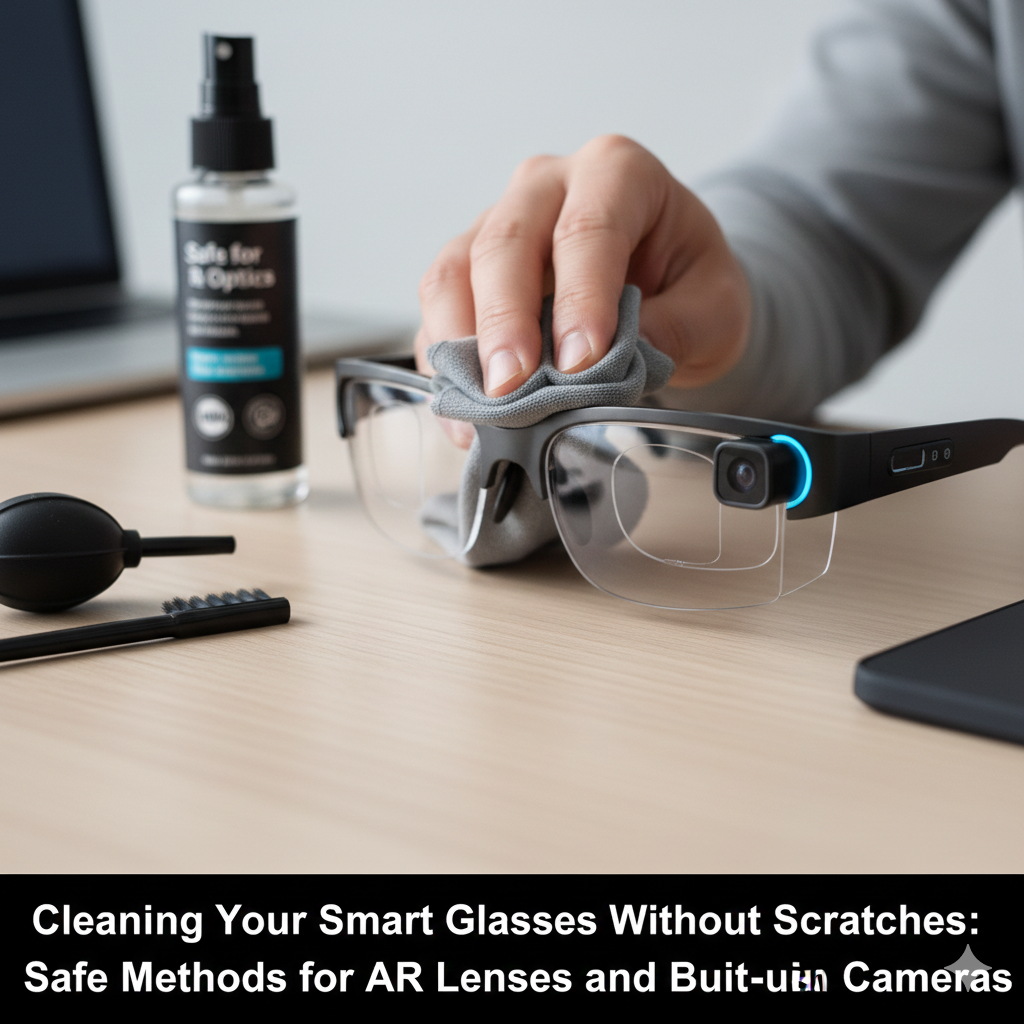
Cleaning Your Smart Glasses Without Scratches: Safe Methods for AR Lenses and Built-in Cameras
A whole new type of wearable technology will emerge in the year 2026 with the introduction of smart glasses, which will include augmented reality overlays, built-in cameras, and superior optics. Despite the fact that they provide an unrivaled level of convenience, the lenses and integrated sensors of these devices are fragile and extremely prone to scratches, smudges, and dust, all of which have the potential to compromise both the visual quality and the operation of the camera. Incorrectly cleaning these devices, such as by using abrasive towels, household sprays, or extreme force, might cause irreversible damage to the lens coatings or upset the calibration of the integrated camera. The materials that are used in augmented reality lenses, the positions of sensors, and safe cleaning techniques that are adapted to high-precision optics are all things that need to be understood in order to maintain clarity. The right kind of maintenance not only maintains the visual performance of the device, but it also guarantees precise tracking and camera operation, both of which are essential for interactive augmented reality experiences.
Comprehending the Composition of Your Lens and Camera
Built-in cameras may have their own protective glass or plastic coverings, whereas the majority of augmented reality lenses have multi-layer coatings that improve light transmission, minimize glare, and protect against scratches. Because each of these materials reacts differently to various cleaning procedures, it is essential to have a solid understanding of them. Microfiber towels, anti-static brushes, and lens cleaning solutions that have been properly designed are typically safe for use on coated surfaces. On the other hand, abrasive materials have the potential to peel coatings or scrape surfaces in an irreparable manner. It is also essential to be aware of the positioning of sensors, since cleaning in close proximity to camera modules requires additional caution in order to prevent misalignment or the introduction of dust into the housing of the device.
Wiping techniques that are gentle and the use of microfiber cloths
The use of a microfiber cloth that is both gentle and free of lint is the most dependable way for cleaning smart glasses. After using a soft brush or an air blower to remove loose dust and debris, the next step is to wipe the lenses using a circular motion without exerting an excessive amount of pressure without causing any damage. In order to prevent scratches on the lens surface, it is important to always wipe from the center outward and to avoid dragging particles over the surface of the lens. When dealing with fingerprints or oils that are difficult to remove, softly wet the cloth with distilled water or a lens solution that is suggested. However, make sure that no liquid gets into the electrical components or the holes of the camera.
Using Lens Cleaning Solutions in a Risk-Free Manner
When it comes to eliminating oils and smudges, commercial lens cleaning solutions that are designed for augmented reality or camera lenses are the best option. For the purpose of preventing liquid from leaking into electrical components, the solution should be applied sparingly on a microfiber cloth rather than directly onto the lenses. Household glass cleaners, alcohol, and sprays containing ammonia should be avoided since they have the potential to remove anti-reflective coatings or cause harm to fragile surfaces. If you want to keep your warranty coverage and retain your optical performance, you should always test any cleaning agent on a tiny, inconspicuous area first. Also, be sure to follow the guidelines of the manufacturer.
As well as Dust Removal and Air Blowers
The use of a manual air blower or a brush with soft bristles is an effective method for removing loose dust and grit from lenses before cleaning them. For the purpose of preventing scratches, this procedure is very necessary, particularly in the event that the glasses have acquired small particles or dirt from surroundings. Compressed air from cans should be avoided since the pressure can be too high and wet, which could possibly cause damage to electrical devices. A gentle and regulated airflow guarantees that dust is removed in a secure manner, which enables a microfiber cloth to be used to do a cleaning pass that is smooth and free of scratches.
Keeping the Areas Around the Built-in Cameras and Sensors Clean
Additionally, smart glasses often include a number of sensors and cameras placed in close proximity to the lenses. In order to properly clean these regions, you must exercise extreme caution: you should never place sharp instruments or excessive liquid near camera devices. Instead, you should make use of soft brushes, lens cloth corners, or sensor wipes that are specifically created for electronic devices. By ensuring that fingerprints, dust, and smudges are kept away from sensors on a consistent basis, it is possible to assure accurate augmented reality tracking and picture capture while also preventing any physical harm to sensitive components.
Routine maintenance and storage procedures are also necessary.
Care that is preventative is just as vital as cleaning that is reactive. When not in use, smart glasses should be stored in a protective case, and it is best to avoid storing them with the lenses facing down on harsh surfaces. To prevent smudges from becoming entrenched, lenses should be inspected on a regular basis for dust collection and softly wiped. The frequency of extensive cleaning may be reduced by keeping one’s hands clean and avoiding exposure to harsh surroundings, such as sand, grit, or other abrasive substances. This ultimately helps to protect coatings and optical clarity over time.
Taking Care of Scratches and Other Minor Damage
Even after thorough cleaning, there is always a possibility of tiny scratches. When it comes to augmented reality lenses, scratches may have an impact on the picture quality or visual overlays, while damage to the camera might hamper the accuracy of recordings or tracking. Polishing services provided by professionals or new lens modules, if supported by the manufacturer, are also potential options for mitigating the problem. It is important to have a thorough understanding of the device’s tolerance and protection measures in order to prevent small faults from developing into concerns about performance.
A Workflow That Is Without Risk
A recommended workflow incorporates all of the following safe practices: first, use an air blower to remove loose dust; second, use a microfiber cloth that has been lightly dampened to wipe lenses gently; third, carefully clean around sensors and cameras using soft brush tips or corners of the cloth; and finally, store the glasses in a case in the appropriate manner. By adhering to this methodical approach, scratches can be avoided, the integrity of the coating can be preserved, and the AR functionality can be kept at its highest level. When these approaches are used on a consistent basis, smart glasses are guaranteed to maintain their clarity, responsiveness, and complete functionality over their entire lives.